





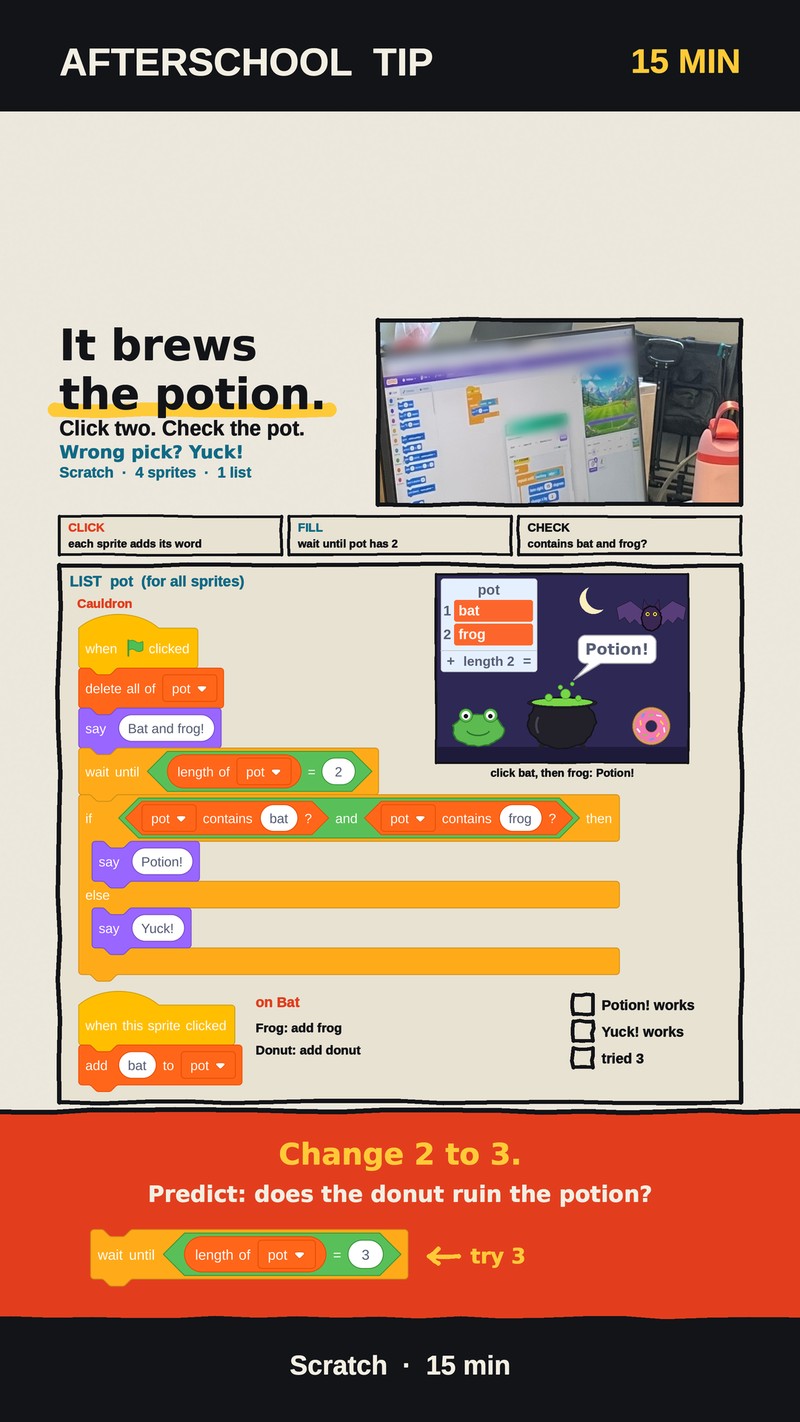
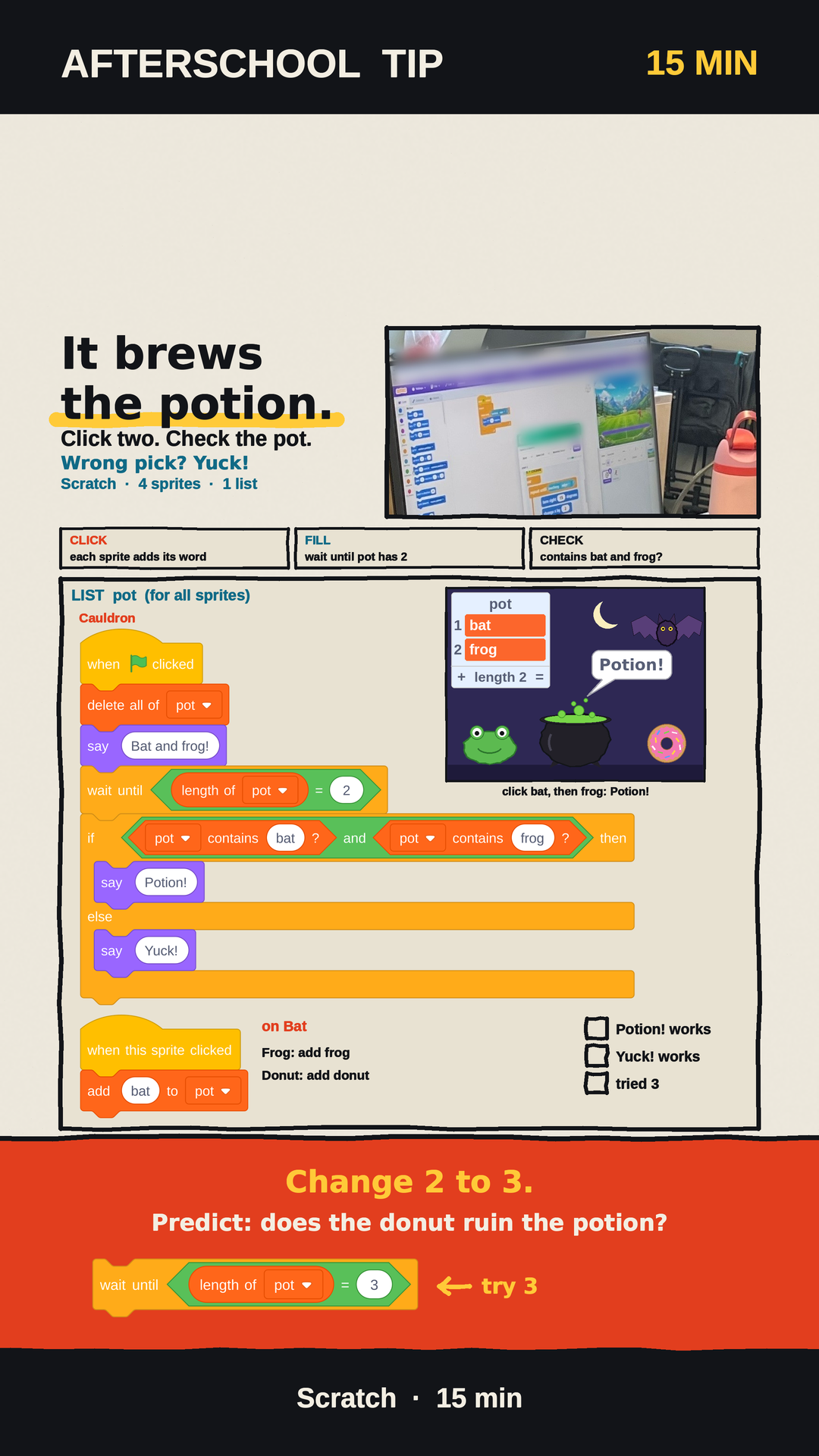
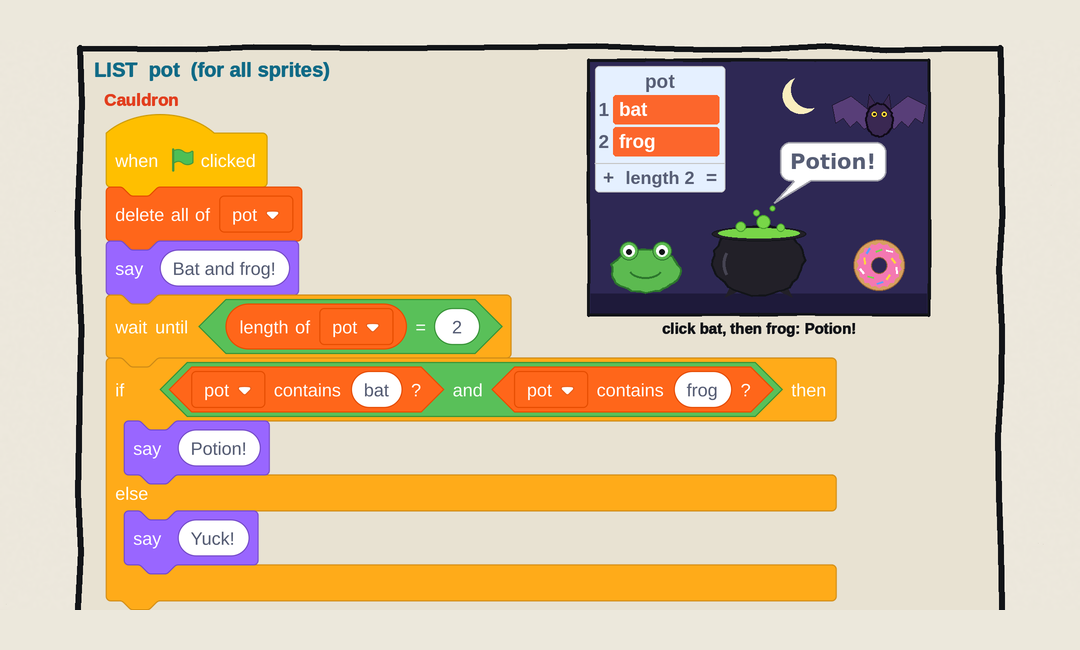
With Halloween less than two weeks away, here is a small Scratch project that feels like a game and quietly teaches one of the most useful ideas in coding. A witch's cauldron has a secret recipe: bat and frog. Kids click ingredients into the pot, and the cauldron checks the recipe. Right pick: Potion! Wrong pick: Yuck!
Try this before you read on
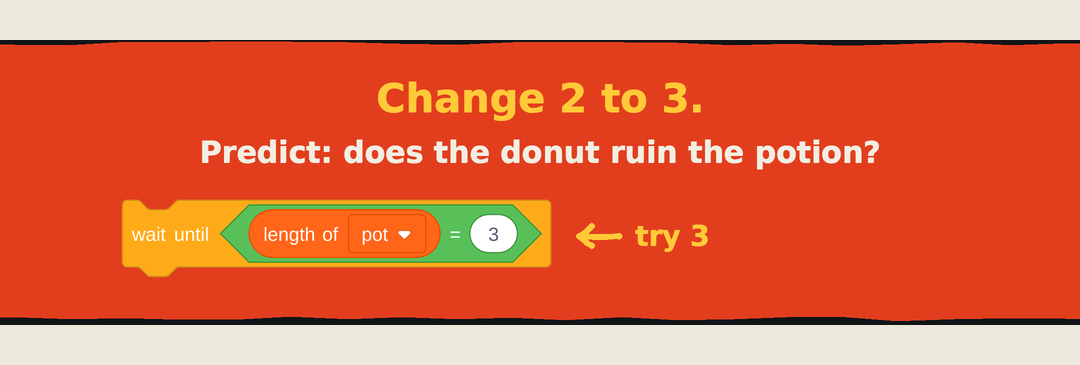
Once the game works, change one number so the pot waits for 3 ingredients instead of 2. Then ask your child: if you click bat, frog, and then a donut, does the extra donut ruin the potion? Write the guess down first. The answer is further down this page.
The game: a cauldron, three ingredients, and one list
The whole project takes about 15 minutes in the Scratch editor. It uses 4 sprites: a Cauldron (a painted dark pot is plenty), plus Bat, Frog, and Donut from the Scratch library.
There is one list, called pot, and it must be set to For all sprites. That setting matters more than it looks: every ingredient writes into the pot, and the Cauldron reads it. If the list belonged only to the Cauldron, each ingredient would end up dropping its word into a separate list of its own, and the Cauldron would never see it.
The Cauldron gets this script:
when green flag clicked
  delete all of [pot v]
  say [Bat and frog!]
  wait until <(length of [pot v]) = (2)>
  if <<[pot v] contains [bat] ?> and <[pot v] contains [frog] ?>> then
    say [Potion!]
  else
    say [Yuck!]
  end
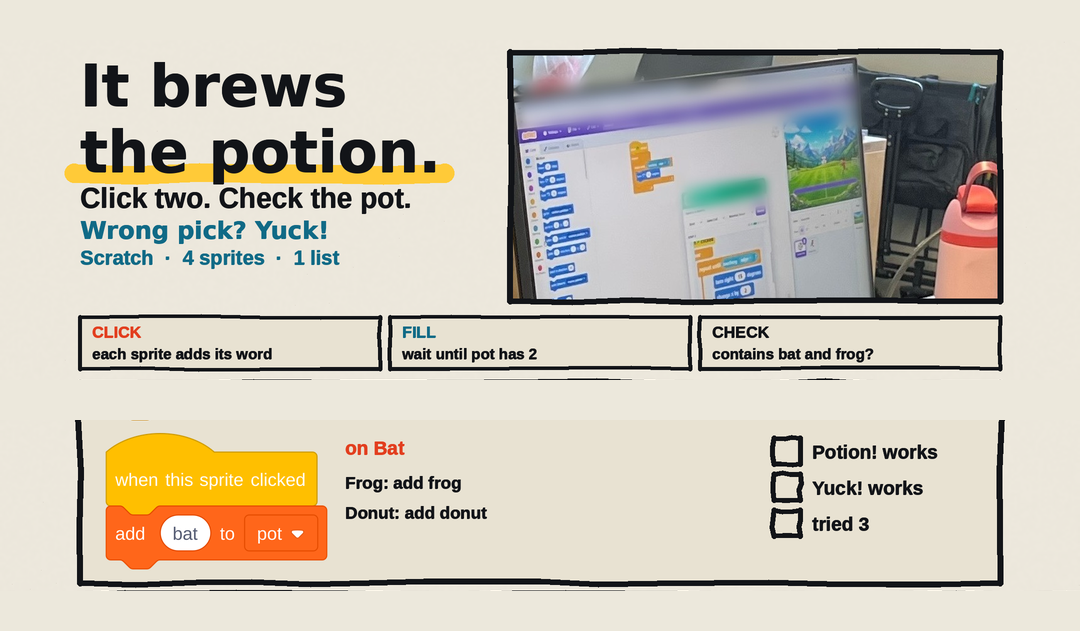
Each ingredient gets one tiny script. The Bat's is:
when this sprite clicked
  add [bat] to [pot v]
Frog gets the same script with the word frog, and Donut gets it with donut. The word an ingredient adds has to match the word inside "contains." A stray extra letter or space and the check can't find it.
What each block does, and why order doesn't matter
Read the Cauldron's script from top to bottom and it does four plain jobs:
- Start fresh. "delete all of pot" empties the pot, so every green flag is a brand-new game.
- Say the recipe. The Cauldron announces "Bat and frog!"
- Wait. "wait until length of pot = 2" holds the Cauldron still. It checks again and again until the pot has exactly 2 things in it. One click is not enough, so after a single ingredient it just keeps waiting.
- Judge. Once there are 2 items, it asks two yes-or-no questions: does the pot contain bat? Does it contain frog? The "and" block only says yes when both answers are yes.
In the demo, click the Bat and then the Frog. The pot shows bat, frog, length 2, and the Cauldron says Potion! Click frog first and then bat, and you still get Potion!, because "contains" only asks whether a word is somewhere in the list, not where. Out of the 9 possible ordered pairs of two clicks, exactly 2 brew: bat-then-frog and frog-then-bat.
Everything else is Yuck!: bat plus donut, two bats, or two donuts. There is one more surprise worth testing. Click bat, then donut, then frog. The Cauldron judges as soon as the pot has 2 items, so it has already said Yuck! by the time the frog lands. The late frog is ignored.
Change 2 to 3: does the donut ruin the potion?
Now change only one number: in the "wait until" block, change 2 to 3. Nothing else moves.
Here is the answer the class sheet leaves for kids to discover:
- Bat, frog, donut: still Potion! The third click is what starts the check, and "contains" only looks for bat and frog. An extra donut in the pot doesn't count against the recipe. Donut, bat, frog brews too.
- Bat, donut, donut: Yuck! There's no frog in the pot, so the "and" fails.
- Only bat and frog: nothing happens yet. The pot has 2 items, the Cauldron is now waiting for 3, and the speech bubble still says "Bat and frog!"
Most kids expect the donut to spoil the potion. It doesn't, and that's the lesson hiding in this project: "contains bat and frog" is not the same as "contains only bat and frog." With 3 slots, 12 of the 27 possible three-click orders brew a potion, because any order that includes at least one bat and one frog passes. The computer did exactly what the blocks said. The blocks just said something a little different from what we meant.
What kids learn from one cauldron
This is computational thinking in a witch's hat, and each part of the project maps onto one of its four skills:
- Decomposition: a "potion game" splits into three small jobs: input (click, add a word), wait (until the pot has 2), and judge (contains bat and contains frog).
- Pattern recognition: the same two-block script works for every ingredient with one word changed. And once kids see that order doesn't matter, they can count it: 2 of 9 pairs brew with 2 slots, 12 of 27 with 3.
- Abstraction: "contains" asks one yes-or-no question about a whole list and ignores order and extras. Knowing exactly what a block ignores is the difference between "contains" and "contains only."
- Algorithms: clear the pot, say the recipe, wait, then judge, always in that order. And the testing habit that goes with it: predict on paper, change one number, then run named test cases such as bat-frog-donut and bat-donut-donut.
The same idea shows up off the screen. "Did we buy milk and eggs?" is still a yes when the grocery bag also has apples in it. A recipe that says "needs flour and eggs" is not the same as "only flour and eggs."
Later the path continues. In Python, the same check reads almost like English, "bat" in pot and "frog" in pot, and kids can then write the stricter "only these" version themselves. JavaScript lets them build the same cauldron in a browser. C++ comes later, for contest problems and speed. Some of our class puzzles are inspired by CCC Junior; families who want to enter a contest register on their own, and CodeSky is not an official program of any contest.
Try it at home
Build the cauldron together, then try a challenge before checking anything online: add a Spider sprite and make the recipe bat, frog, and spider. Which places in the code need to change? Guess first, then test.
If your child likes puzzles like this, come meet us. CodeSky runs after-school coding classes in Markham, from Scratch to Python, for elementary and middle school kids. Book a free trial class at 9833 Markham Rd Unit 2, Markham, ON L6E 0E5, or email info@codesky.ca.