



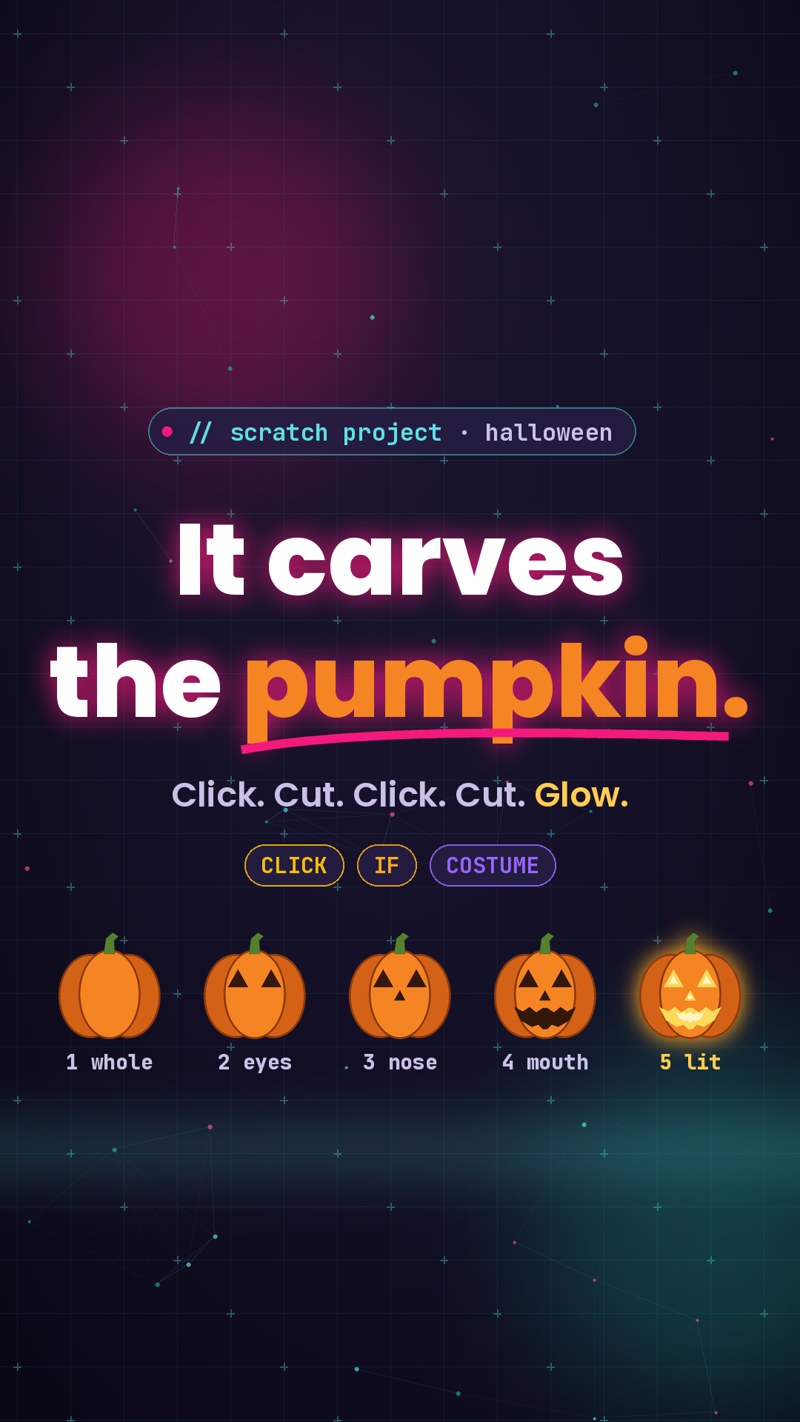
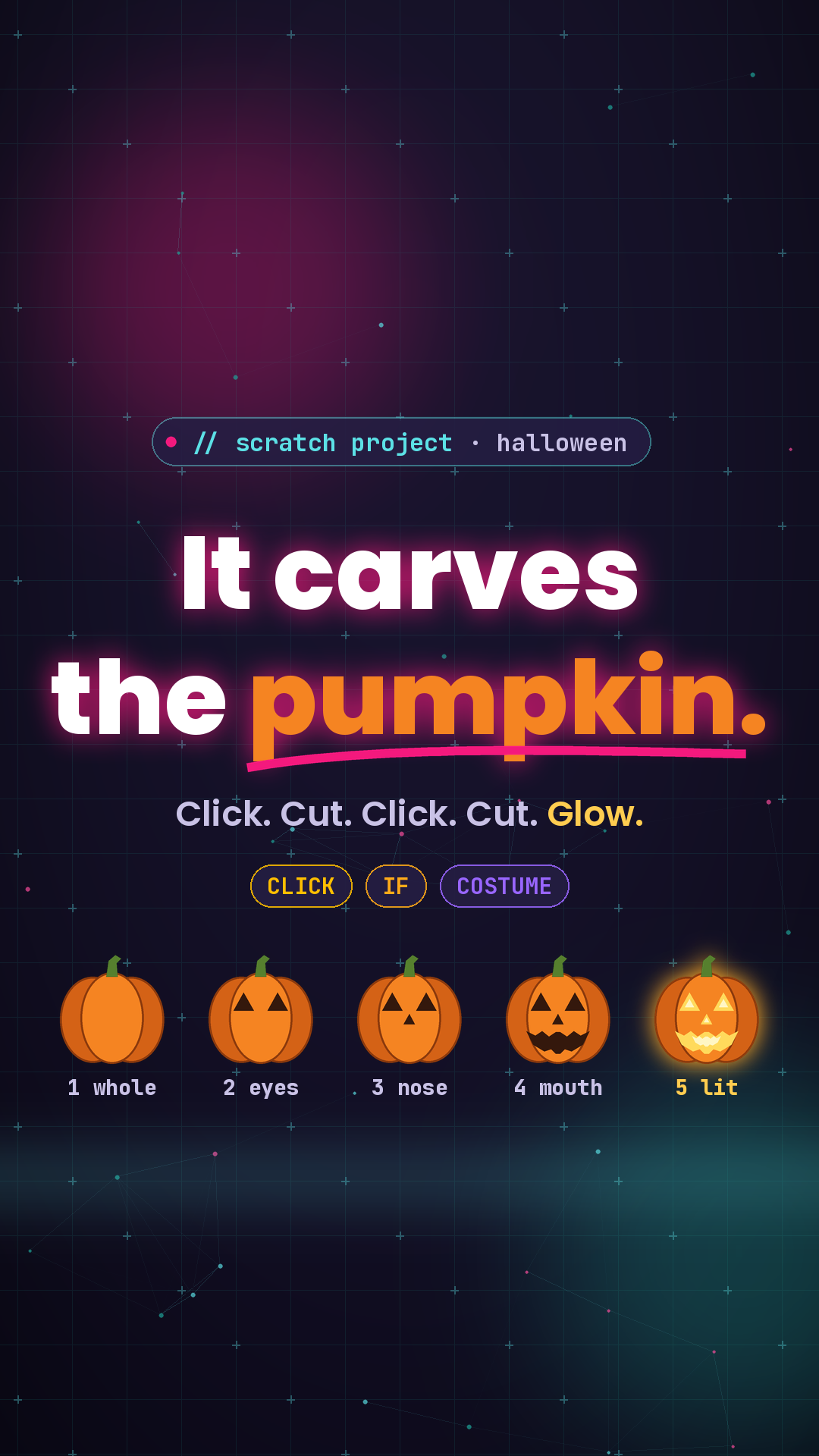
Halloween is just over a week away, so here is a Scratch project kids can finish in about 15 minutes: a jack-o'-lantern you carve with clicks. Each click makes one cut. After 4 cuts the pumpkin lights up and says Happy Halloween! It looks like a small craft, but it quietly teaches two big coding ideas: a variable that remembers, and an if that decides when to stop.
Try this before you read on
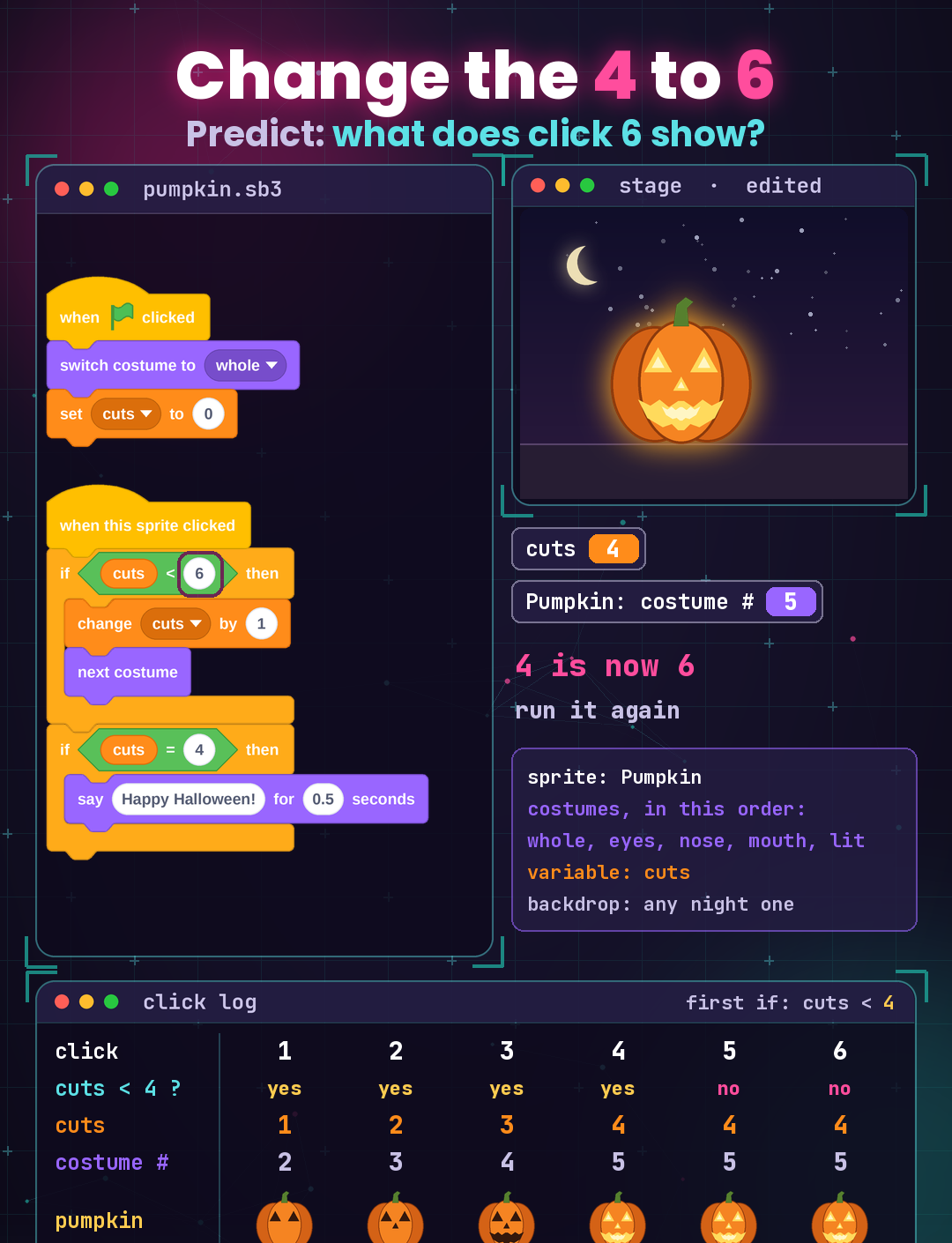
Once the pumpkin works, change the 4 in the first if to 6. Then ask your child: what will the pumpkin look like on click 5, and on click 6? Will it still say Happy Halloween? Write the guess down first. The answer is further down this page.
The setup: one pumpkin, five costumes, one variable
Paint one sprite called Pumpkin and give it 5 costumes, in this exact order: whole, eyes, nose, mouth, lit. "Lit" is the finished face with glowing yellow cuts. Pick any night backdrop. In Variables, make a variable called cuts.
The order of the costumes matters more than it looks. "next costume" simply moves one step down the costume list, so if the costumes are out of order, the carving happens out of order too.
The Pumpkin gets two scripts:
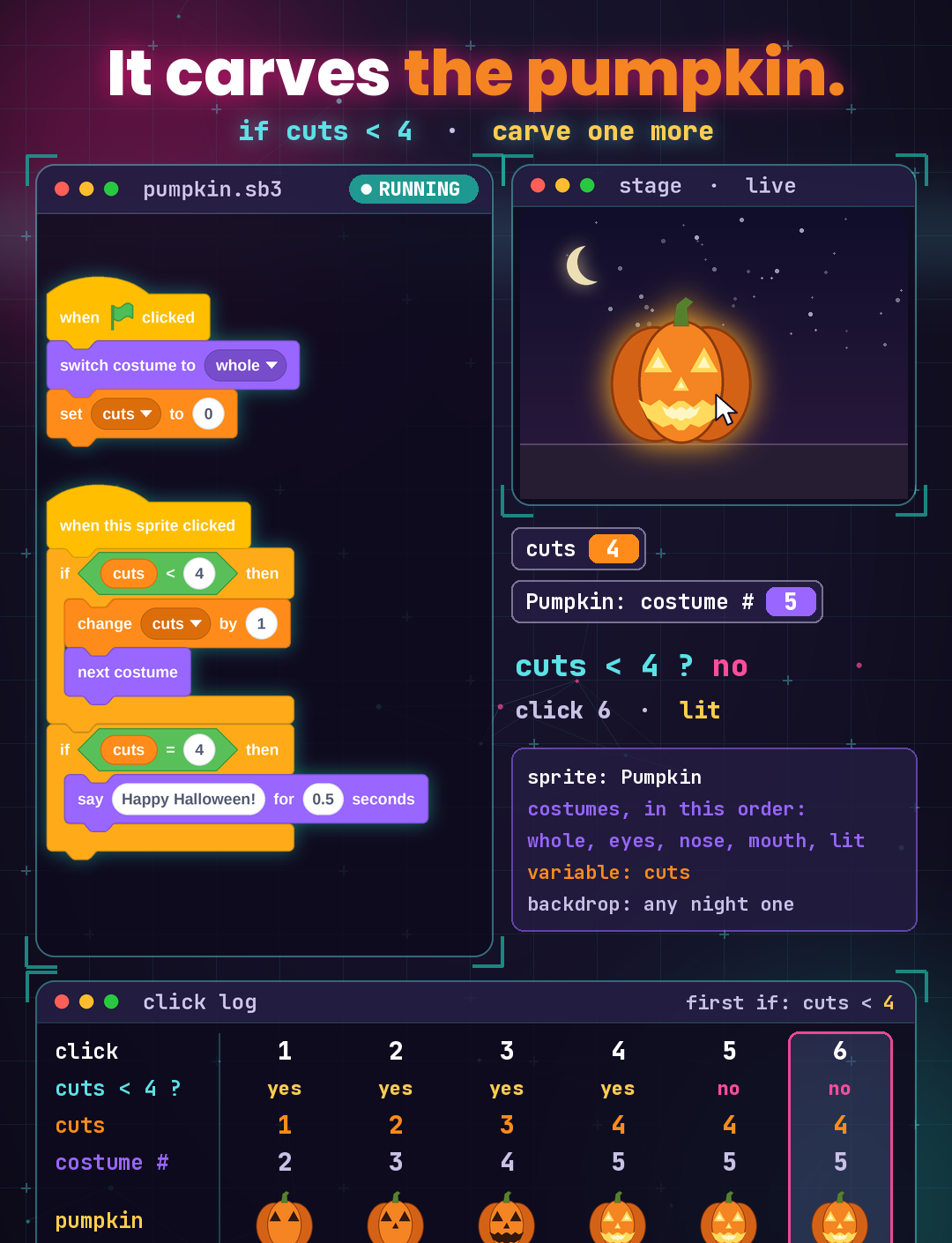
when green flag clicked
  switch costume to [whole v]
  set [cuts v] to (0)

when this sprite clicked
  if <(cuts) < (4)> then
    change [cuts v] by (1)
    next costume
  end
  if <(cuts) = (4)> then
    say [Happy Halloween!] for (0.5) seconds
  end
What each part does
- Start fresh. The green flag puts the pumpkin back to "whole" and sets cuts to 0, so every run starts from an uncarved pumpkin.
- The first if is a gate. Only while cuts is less than 4 can the pumpkin take another cut: cuts goes up by 1 and the next costume shows the next carving step.
- The second if is a separate check. It is not inside the first one, so every click checks both. When cuts equals 4, the pumpkin speaks.
We clicked the pumpkin 6 times in a row. Cuts went 1, 2, 3, 4, 4, 4. The pumpkin showed eyes, nose, mouth, then lit on click 4, and said Happy Halloween! Clicks 5 and 6 cut nothing more, because "4 < 4" is false, so the gate stays shut. Cuts stays at 4, the pumpkin stays lit, and since cuts still equals 4, it just says Happy Halloween! again. The variable remembers how many cuts are done, and the if decides when carving stops.
Change 4 to 6: what does click 6 show?
Now change only one number: in the first if, change the 4 to 6. Nothing else moves. Press the green flag and click 6 times.
Here is the answer the class sheet leaves for kids to discover:
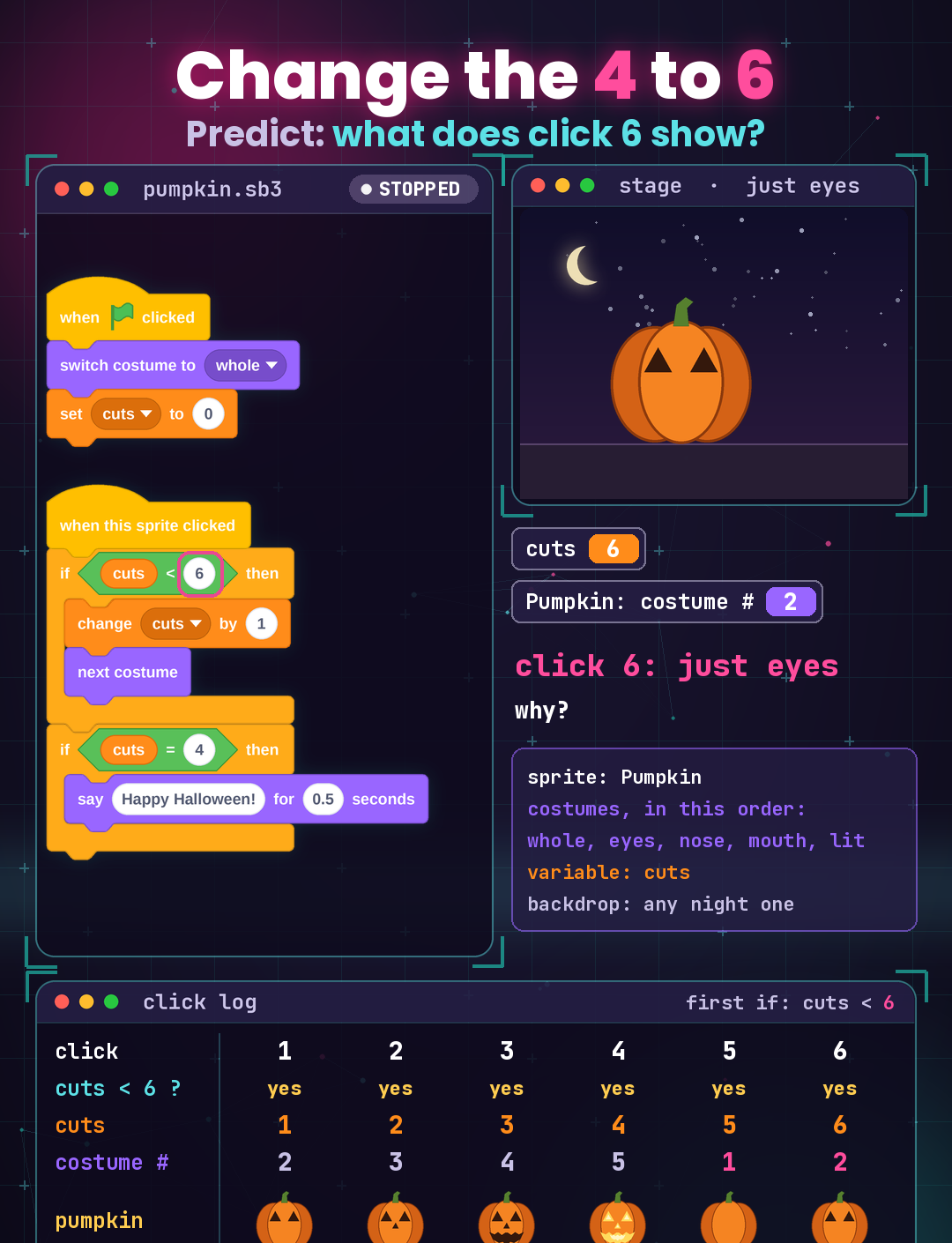
- Clicks 1 to 4 look the same as before. Eyes, nose, mouth, lit, and the pumpkin says Happy Halloween! on click 4.
- Click 5: the pumpkin is whole again. The gate is now open up to 6, so the pumpkin takes a fifth "next costume". But "lit" is already the last costume, and in Scratch, "next costume" after the last one wraps around to the first. The carved pumpkin snaps back to uncarved.
- Click 6: just eyes. One more step down the list. Cuts says 6, but the pumpkin only shows its eyes.
- No more Happy Halloween. Cuts goes 5, then 6, so it never equals 4 again after click 4.
Most kids expect the pumpkin to just stay lit. It doesn't, and that is the lesson inside this project: the computer did exactly what the blocks said. Changing one number in the gate changed how many times "next costume" runs, and the costume list loops back to the start. The costume number went 2, 3, 4, 5, 1, 2.
What kids learn from one pumpkin
- Decomposition: the project splits into a reset script and a click script, and the click script splits into "carve" and "speak".
- Pattern recognition: the five costumes follow a fixed order, and "next costume" follows that order every time, including the jump from the last back to the first.
- Abstraction: the variable cuts stands for "how much of the pumpkin is carved", one number instead of a picture.
- Algorithms and testing: predict each click on paper, change one number, run it, and compare with the guess. A mismatch is the most interesting part.
The same idea shows up off the screen. A playlist set to repeat goes from the last song back to the first. A counter that keeps counting after the job is done can quietly undo the work.
Later the path continues. In Python, kids meet the same "remember a number, check it with if" pattern in plain text, and the wrap-around idea comes back as the % operator. JavaScript lets them build clickable games in a browser, and C++ comes later for contest problems and speed.
Try it at home
Keep the 6 in the first if, and try this: make extra clicks never un-carve the pumpkin. Hint: tick the costume number checkbox in Looks and watch it after every click. Then a bigger challenge: add a second pumpkin that carves one step each time you click the first one. Guess first, then test.
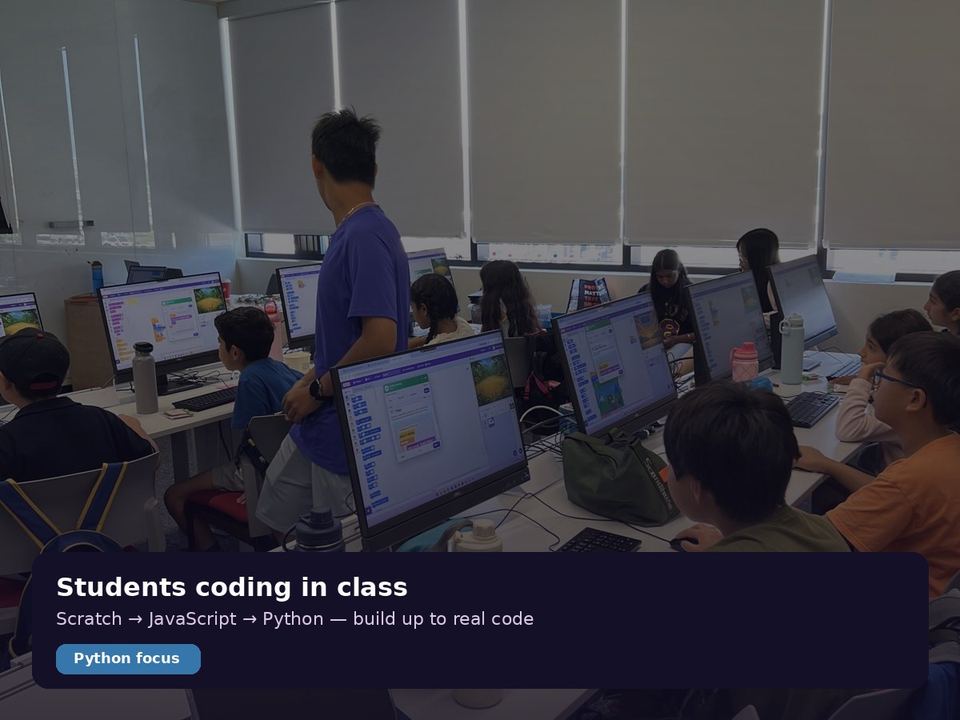
If your child likes puzzles like this, come meet us. CodeSky runs after-school coding classes in Markham, from Scratch to Python, for elementary and middle school kids. Book a free trial class at 9833 Markham Rd Unit 2, Markham, ON L6E 0E5, or email info@codesky.ca.