





Search "learn to code for kids" and you will find a long list of free apps and websites. Many of them are excellent, and some of our own students started there. So when Markham parents ask us, "Do we need a class, or is a free app enough?", our honest answer is: it depends on what your child does when the app stops being easy.
Try this first: let your child use a free coding app for one week. At the end of the week, ask them to build something small that the app never asked for, like a game where the cat chases a ball. Watch what happens in the first ten minutes.
What free apps do well
- They make the first step easy. Block coding tools such as Scratch and ScratchJr let a young child make something move in minutes, with no typing and no setup.
- They are free to try. Code.org courses, Scratch and Swift Playgrounds cost nothing, so you can find out whether your child enjoys coding before you commit to anything.
- They are built for short sessions. Puzzles and levels give a quick win, which keeps younger kids coming back.
- They work at home, at any time. A rainy Sunday or a long car ride is enough.
If your child is curious and just getting started, a free app is a great place to begin. We mean that.
Where kids usually get stuck
From what we see in our Markham classroom, kids who learn only from apps tend to hit the same three walls:
- Finishing levels is not the same as making things. A puzzle has one right answer that the app already knows. A real project starts with a blank screen, and that is a different skill.
- Nobody asks "why?" An app tells a child they got it right or wrong. It rarely asks them to explain their code, or to change it and predict what happens.
- The jump to the next step. Moving from blocks to typed code like Python, or from short puzzles to a longer project, is where many kids quietly stop.
What a class adds
- Feedback from a person. A teacher reads the code with your child, asks the right question, and lets them find the fix instead of handing it over.
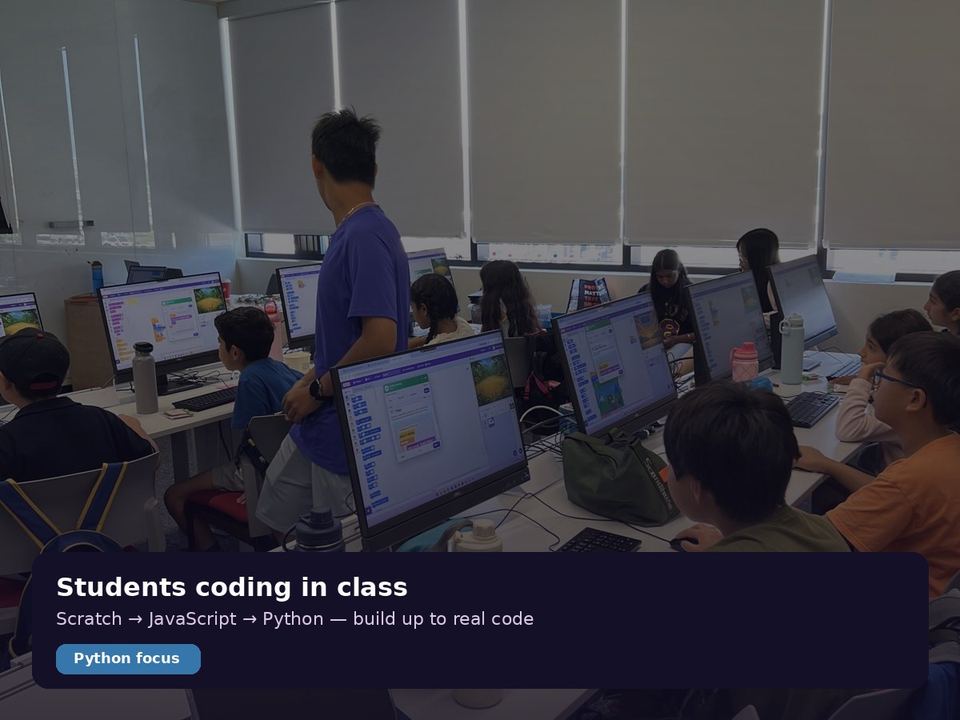
- Structure that fits your child. Our classes are personalized and mixed-level: every child starts at their own level and follows their own path, from Scratch to Python, JavaScript, Arduino and contest problems.
- Other kids building too. Seeing a classmate's game, explaining your own and getting a little stuck together makes finishing feel normal.
- A clear next step. When a project is done, there is always one that is a little harder, so your child is never bored or lost for long.
A quick way to decide
- Stay with free apps if your child is new to coding, enjoys the puzzles, and you mainly want to see whether the interest lasts.
- Add a class if they have finished the easy levels and lost interest, keep getting stuck on the same kind of problem, or ask to make their own games and apps.
- Or do both. Many of our students keep using apps at home and use class time for the parts that need a person.
Our suggestion
You do not have to choose on day one. Start with a free app, watch what your child does when it gets hard, and decide from there. If your child is younger or brand new, our Scratch coding classes for kids are a gentle next step, and our Python classes for kids are there when typed code feels ready.
Kids can start anytime. Book a free trial class at our Markham classroom or live online, bring the project your child made in the app, and a teacher will show you where they are today.